Transcribe YouTube Video
By Stanislav Mashkin · Published 4 November 2026
Paste a link to transcribe YouTube video to text. We read the captions the video already has, including the ones YouTube writes automatically, and give them back with a timestamp on each paragraph.
No link handy? Try it on a 1-hour talk →
How to transcribe a YouTube video
Copy the video’s link
From the address bar or from Share under the video.
Paste it and press Transcribe
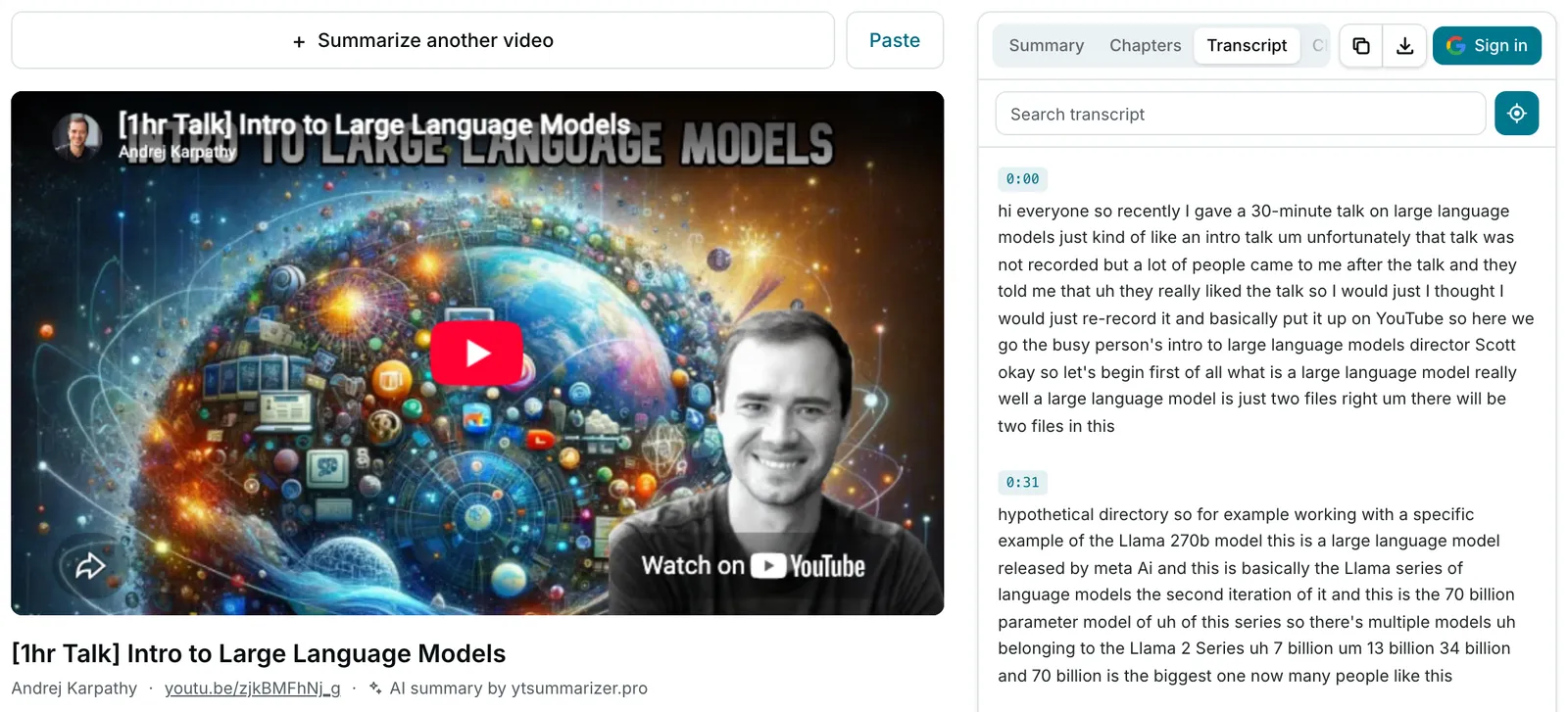
The Transcript tab opens beside the player, in paragraphs of about 30 seconds.
Search, jump, export
Type a word to filter the paragraphs, or click a time to play from there. Copy or download a .txt, with or without timestamps.
How YouTube to text transcription works here
There’s no speech transcriber YouTube audio goes into. We read the video’s caption track, the text YouTube shows under CC.
Which track we take, in the language of the video’s audio:
- captions the channel uploaded, if there are any;
- otherwise the YouTube auto transcript, which YouTube generates from the speech.
Auto-captions are rough on names and jargon, and the text keeps those mistakes.
Transcribe YouTube video free: the limits
No card and no account. The numbers:
- 10 transcripts a day per network on this site. Pro doesn’t raise it.
- No daily limit in the Chrome extension: it reads captions inside the YouTube page.
- No length cap on the transcript. The 4-hour cap you may see here is for AI summaries.
Videos without captions: not yet
No caption track means no transcript: the tab says No captions available. We don’t run speech recognition yet.
Age-restricted, private or members-only videos work only in the Chrome extension, if you can watch them. Need videos without captions? Tell us.
Related
- YouTube to text — the same captions as plain paragraphs, no timestamps.
- YouTube transcript generator — what the downloaded .txt file looks like.
- YouTube transcript — what ours adds to YouTube’s own panel.