YouTube to Text
By Stanislav Mashkin · Published 4 November 2026
Paste a link, and this YouTube to text tool gives you what the video says as plain paragraphs, with no timestamps in the way. Going from YouTube video to text takes two clicks and no sign-up.
No link handy? Try it on a 1-hour talk →
How to turn a YouTube video into text
Paste the link
A watch, youtu.be, Shorts or live link. Links copied on a phone work too.
Press Convert to text
The words open in the Transcript tab, next to the video.
Copy it as Plain text
Click the copy icon above the text and pick Plain text. The download icon saves it as a .txt file.
YouTube transcript to text, without timestamps
Plain text keeps the captions in paragraphs of about 30 seconds and drops the time marks:
First thirty seconds of what is said in the video…

The next thirty seconds…

…and so on to the end.

---
Source: https://youtu.be/<video id> · ytsummarizer.proThe last line links back to the video. With timestamps, in the same menu, puts the marks back.
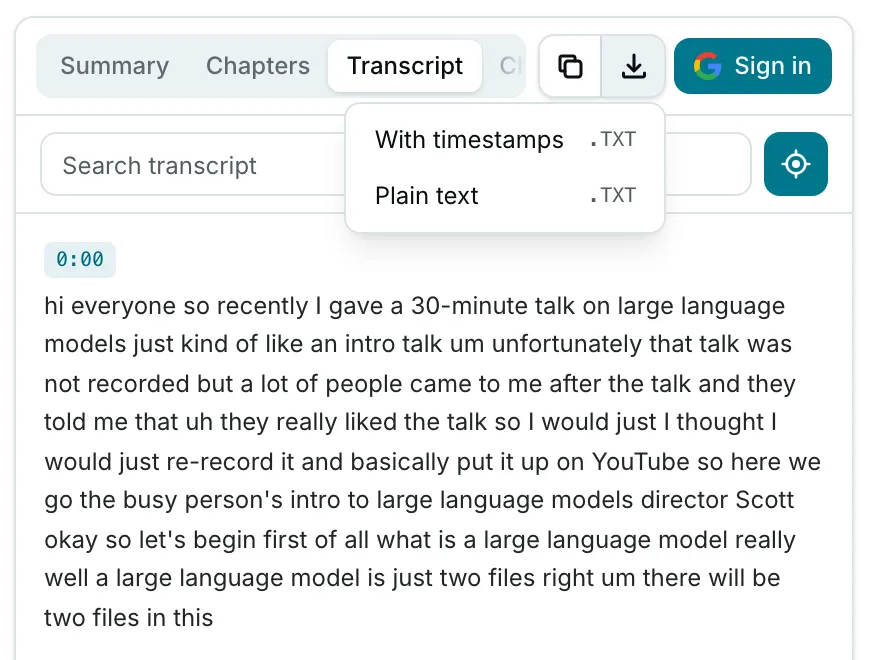
A YouTube video to text converter for documents and AI prompts
Without timestamps, the text pastes cleanly into an AI prompt or a document. Google Docs, Word and Notion keep the paragraph breaks.
The words are the video’s captions, YouTube’s automatic ones included, so names and jargon can come out wrong.
Videos without captions, and other limits
We convert YouTube to text from the video’s caption track. When a video has none, the Transcript tab says No captions available: we don’t run speech recognition yet.
What else to know:
- No CC button on YouTube usually means the video has no captions.
- Keep hitting such videos? Tell us: requests decide whether speech recognition comes next.
- Age-restricted, private or members-only videos work only in the Chrome extension, if you can watch them.
- 10 transcripts a day per network on this site, no account needed; no daily limit in the extension.
Related
- YouTube transcript generator — the same text with a timestamp on every paragraph.
- YouTube transcript — searching the text beside the player.
- YouTube video summarizer — a summary and chapters instead of the full text.
- Transcribe YouTube video — which caption track we pick, and why.